Apps like Homes.com · Property

Build your own app like Homes.com

Homes.com is a US property portal owned by CoStar Group, focused on agents and homeowners. An app like Homes.com suits brokerages, agent teams and property platforms.

Homes.com is a trademark of its owner. XDQ Labs is not affiliated with, endorsed by or connected to Homes.com. We use the name only to describe the kind of app we build.

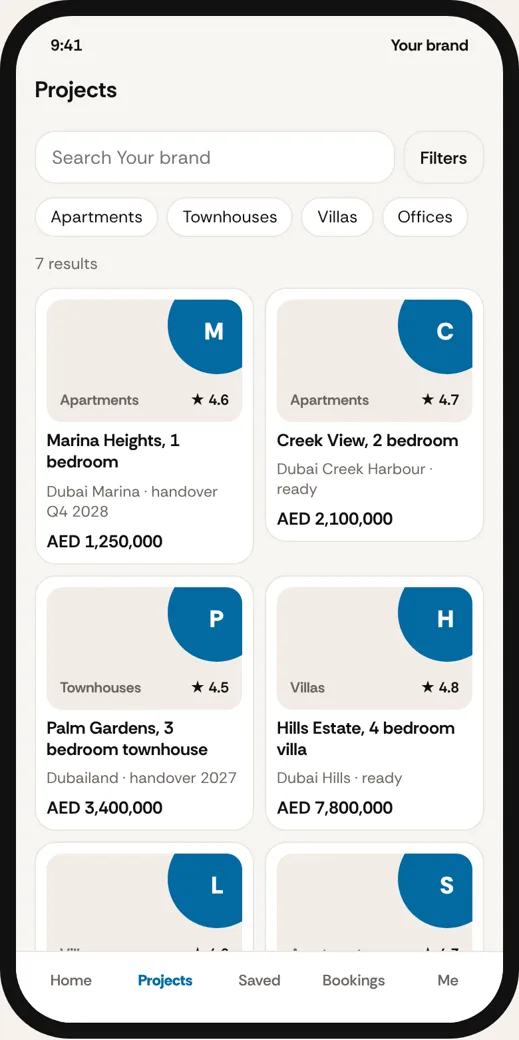
A working property app built by XDQ Labs, shown with a sample brand
Key numbers · read 27 November 2026

Homes.com in numbers

100%Homes.com said organic traffic was up more than 100% year on year every month of the first quarter of 2026.
May 2026 · Source: CoStar Group
USD 395,000Homes.com reported a US median home sale price of USD 395,000 in May 2026, up 1.8%.
June 2026 · Source: CoStar Group
In the news · read 27 November 2026

What Homes.com has been doing

February 2026
CoStar Group launched a conversational AI home search experience on Homes.com.
Source: CoStar Group
May 2026
Homes.com said organic traffic was up more than 100% year on year every month of the first quarter of 2026.
Source: CoStar Group
June 2026
Homes.com reported a US median home sale price of USD 395,000 in May 2026, up 1.8%.
Source: CoStar Group

What it means if you are building: Homes.com promises agents that buyer leads go to the listing agent. A brokerage app of your own keeps every lead with your agents.

How it works

The four parts of an app like Homes.com

Buyer and tenant appAgent and broker panelDeveloper panelAdminenquirylead to agentviewing bookedpayments, supporttracking, payoutsrules and stock
Buyer and tenant appSearch, filters, map, saved homes, payment plans, viewings and enquiries.
Agent and broker panelListings, leads, viewings, follow-ups and commissions.
Developer panelProjects, unit availability, price lists and launch campaigns.
AdminListing checks, packages, featured places, reports and support.
The technology

What makes an app like this feel fast and reliable

Search that understands peopleFilters for price, bedrooms, size and area, and plain-language search.
Listing checksFlags duplicate or unverified listings before buyers see them.
Payment plan calculatorShows instalments by milestone for off-plan units.
Viewings bookingReal agent calendars, with reminders on WhatsApp.
Lead routingSends each enquiry to the right agent and tracks the reply time.
Market dataPrice and rent trends by community from your own listings.
Working version

Try one now, then make it yours

This is our own working property app with a sample brand, not Homes.com. Search, filter, order or book, and watch it land on the admin board. Then change the name, colours, modules and language in the designer.

Home screen of the working property app
Home
Search and filters screen of the working property app
Search and filters
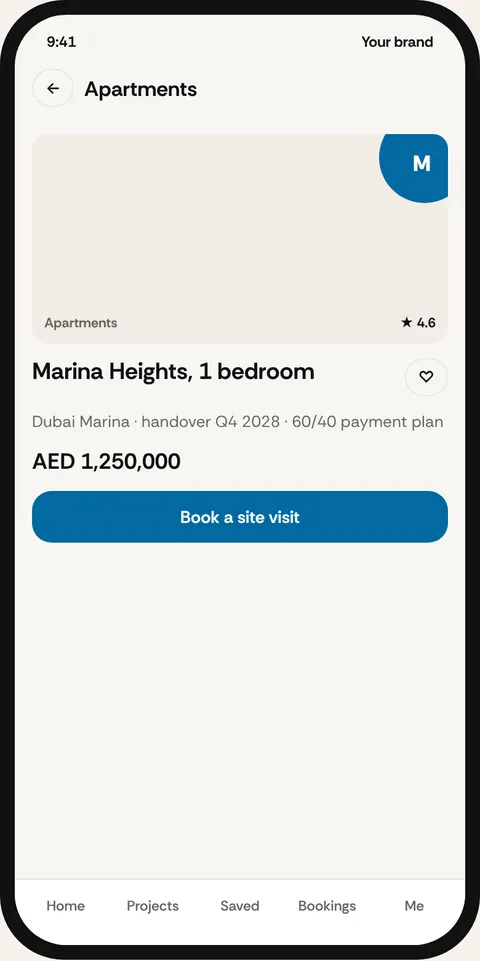
Item details screen of the working property app
Item details
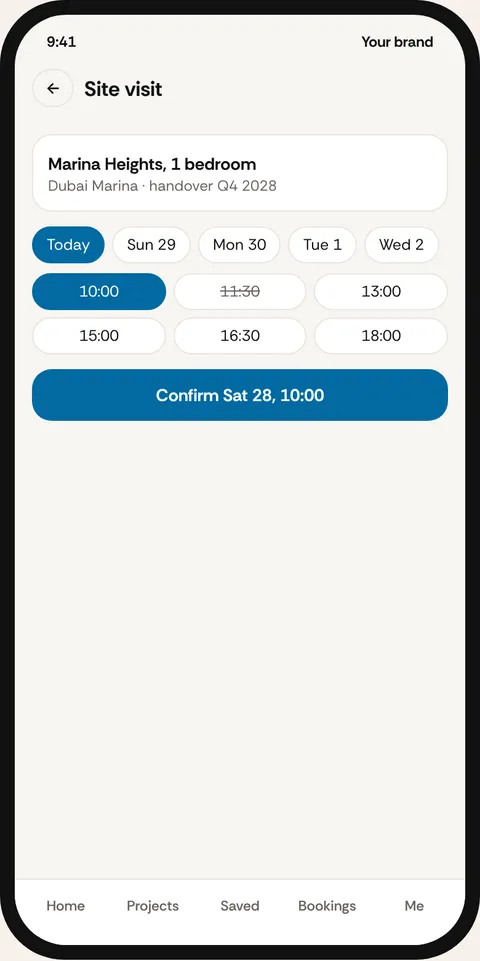
Booking screen of the working property app
Booking
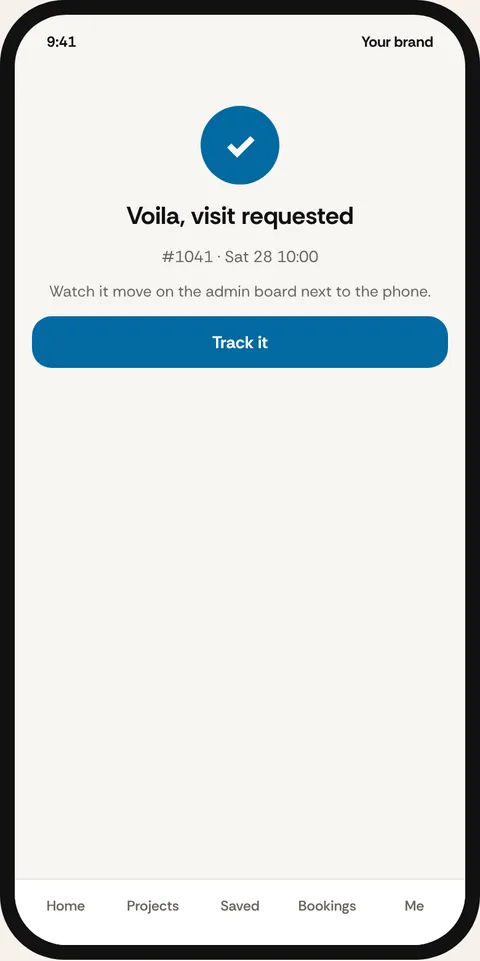
Confirmation screen of the working property app
Confirmation
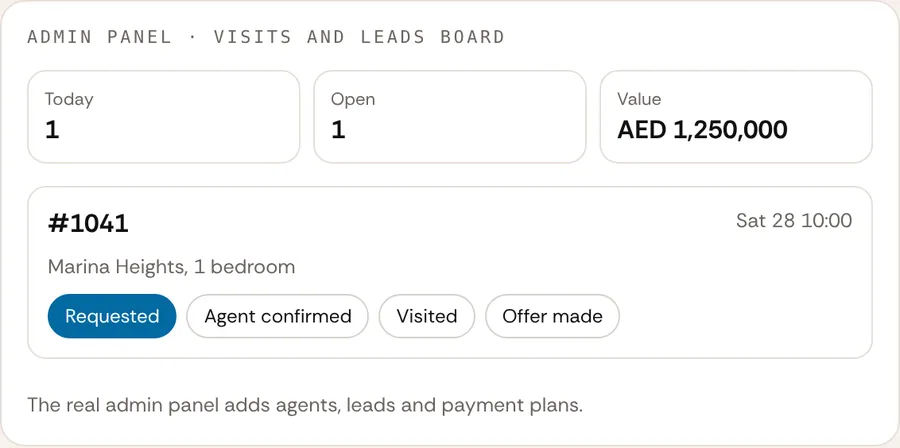
Admin board of the working property app, where each order or booking appears
Admin board: every order or booking lands here
AI features

AI features to add to an app like Homes.com

Lead reply assistantReads each enquiry, matches it to listings and drafts a first reply in Arabic or English for the agent to send.Runs on xService Agents
Listing quality checksFlags listings with missing details, duplicate photos or unclear prices before they go live, for a person to fix.Runs on xCommerce Agents
Listing descriptionsDrafts clear Arabic and English descriptions from the listing data and photos, for the agent to approve.Runs on xStudio Agents
Viewing schedulerProposes viewing times from the agent's calendar and drafts the confirmation message.Runs on xService Agents
AI search visibilityChecks whether your portal or agency is named when people ask AI assistants where to rent or buy in your city.Runs on AI Search Tracker
Step 1Your appOrders, messages and listings come in.
Step 2Agent draftsIt reads the item and writes a reply or change.
Step 3Your team approvesApprove, edit or reject in one inbox.
Step 4Done and loggedThe result lands in your own systems.

Every agent drafts and a person approves. Already run an app like this? See AI for existing apps.

Revenue model

How apps like Homes.com make money

  1. 1Listing packages for agents and developers
  2. 2Featured and premium placement
  3. 3Lead fees per enquiry
  4. 4Data and insight products for the industry
Your app, your revenueUse any mix of these. On your own app, the customer and the margin stay with you.

These are the usual ways apps of this kind earn. They are not figures about any company. Use the monthly revenue calculator below with your own numbers.

Packages

Three ways to build it

Starter
  • Buyer app on iPhone and Android
  • Listings with search and filters
  • Enquiries and viewings
  • Agent panel
  • Admin panel
Growth
  • Everything in Starter
  • Payment plan calculator
  • 3D and video tours
  • Compare units
  • Lead routing to agents
  • Arabic and English
Most completeScale
  • Everything in Growth
  • Developer panel for launches
  • Featured listings and packages
  • Market reports from your data
  • Push campaigns and buyer segments
  • Referral rewards and marketing reports

Fixed quotation after the build plan, which lists every screen and test. Published in your name.

This page is part of our guide to property apps. Every app is designed and built in XDQ App Studio.

From idea to the app stores

Step 1DesignMake the app yours on a live phone.
Step 2Build planEvery screen and test, listed.
Step 3Fixed quotationOne price, agreed before work starts.
Step 4Build and testOur team builds; a named person checks each stage.
Step 5Published in your nameOn the iPhone and Android stores.
Monthly revenue calculator

What owning your own channel could be worth a month

Type your own figures. The starting numbers are examples, not figures about Homes.com or any marketplace.

Spent on the portal a month
Kept with your own app, a month
A year

Your own app has its own costs: hosting, payments, marketing and, for delivery, riders. Plan the full picture in the designer's revenue plan, where you can add your monthly costs.

Questions
Do buyer enquiries go to the listing agent?Yes. Enquiries go straight to the agent on the listing.
Can we publish market reports?Yes. Monthly price reports by area can be published from the panel.
How much does it cost to build an app like Homes.com?It depends on the modules you choose. Pick from three packages, design your app, and you get a build plan listing every screen and test, followed by a fixed quotation. There are no hidden extras.
How do apps like Homes.com make money?Usually through listing packages for agents and developers, featured and premium placement, lead fees per enquiry. Your own app can use any mix of these.
Can an app like Homes.com use AI?Yes. AI agents can draft support replies, clean up listings, reply to reviews and check how AI assistants describe your brand. A person approves every action.
Is XDQ Labs connected to Homes.com?Homes.com is a trademark of its owner. XDQ Labs is not affiliated with, endorsed by or connected to Homes.com. We use the name only to describe the kind of app we build.
How long does a build take?It depends on the modules you pick. Design your app, then open its proposal pack for a build time in weeks from our planning library. The fixed quotation follows the build plan.
Will the app be in my name?Yes. It is published on the iPhone and Android stores under your company, with your brand, and you get the admin panel your team uses every day.
Similar apps

All property apps · All apps we can build like this · App Studio

Design your own app like Homes.com in minutes

Start from a working app, make it yours on a live phone, and get a build plan with a fixed quotation.

Homes.com is a trademark of its owner. XDQ Labs is not affiliated with, endorsed by or connected to Homes.com. We use the name only to describe the kind of app we build.